

TechCure ERP · All features
Pharma ERP features built into TechCure ERP
For pharma, nutraceutical and ayurvedic manufacturers. Every module works on the same batches, from goods receipt to GST returns.
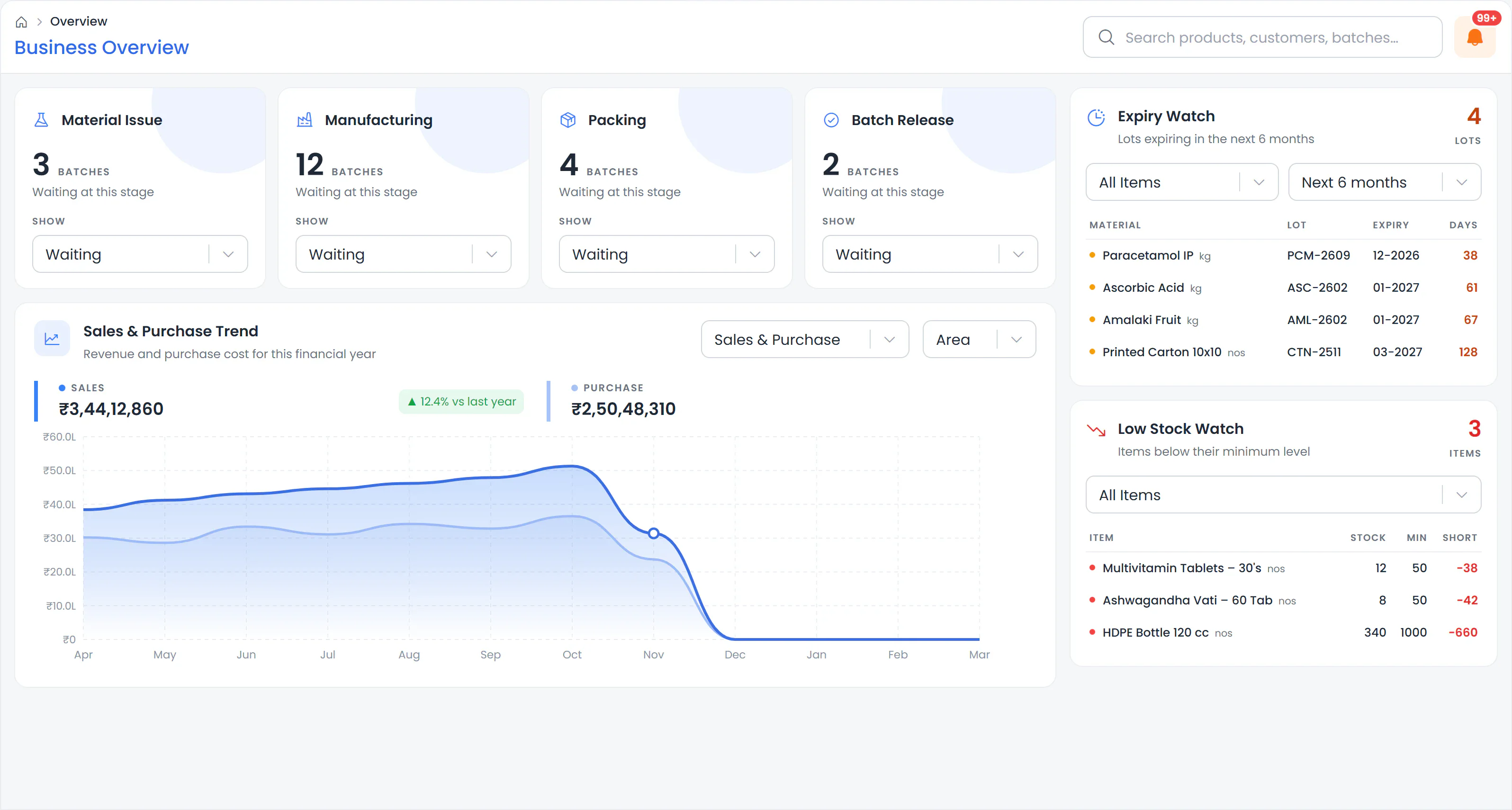
Batch flow
Pharma ERP modules that follow your batch
Each module picks up the batch where the last one stopped, so nothing is typed twice.
Inventory and expiry
Receive raw and packing material with batch and expiry. See live batch-wise stock, and get alerts before anything expires or runs short.
Quality control
Material stays on hold until QC passes it. Test against your own specifications. A failed result opens an OOS investigation.
Production and BMR
Plan, make and clear every batch in 5 stages. Use your own BMR format, filled on screen or on paper, and trace any batch forward or back.
Accounts and GST
Make GST invoices with e-Invoice and e-Way Bill from available batches. Your books and GSTR-1, 3B and 9 reports update from the same entries.
Support tools
AI and compliance tools that support every module
TechCure AI
Get answers about your business in plain language, without opening reports.
“Which batches expire this month?”
- Ask about stock, batches, sales or dues.
- Ask in English, Hindi or Gujarati, by typing or by voice.
- Scan a supplier invoice, and the purchase entry fills in for you to check.
- Your data is not used to train AI models.
Compliance and security
Keep records ready for inspections and keep your data safe.
- Helps you keep the records Schedule M expects.
- The audit log shows who changed what, with the before and after.
- Role-based access, and two-step login you can turn on.
- Data stored in India (Mumbai), encrypted, and backed up automatically several times a day.
More in TechCure
More pharma ERP features for everyday work
The smaller features that save your team time every day.
Sales, from quote to payment
- Track every order from quotation to sales order, proforma, invoice and payment, all under one order number.
- Turn a product costing into a quotation you can send.
- Delivery challans.
- Automatic payment reminder emails to customers.
Daily control
- Dashboard alerts for what’s late, short, expiring or overdue, and for GST and TDS due dates.
- Live notifications in the bell.
- Private reminders that only you see.
- Restore deleted entries within 30 days. Every restore is recorded.
- Raise a help-desk ticket with a screenshot from inside TechCure.
Plant
- Finished-goods labels with batch, mfg and expiry dates, and MRP.
- Material requirement for planned batches.
- Retain sample register.
Working faster
- Copy from: Copy a similar product, material or party, then change only what’s different.
- Excel import and export: Bring in your data from Excel with a preview first, and export any list.
- Global search: Find any master or document from one search box.
- One login, many companies: Run more than one company from one login. Each company has its own data and plan.
Feature availability depends on your plan. Annual plans, with a free trial.
See pricingFAQ
Pharma ERP features: common questions
Quick answers before you book a demo.

Is TechCure only for pharma manufacturers?
No. TechCure is built for pharma, nutraceutical and ayurvedic manufacturers. All three use the same batch, QC and BMR flow.
Do we need to install anything?
No. TechCure is web-based and works in any modern browser. There’s nothing to install.
What happens if our internet goes down?
You can keep adding new entries on supported screens while you’re offline. They sync automatically when you’re back online.
Does TechCure work with Tally?
Yes. TechCure sends your vouchers and masters to Tally Prime, so your CA can keep working in Tally. This needs a licensed Tally Prime on a Windows PC on your office network. See how Tally sync works →
How do we start with our opening stock and balances?
TechCure guides you through entering opening stock batch-wise and your opening balances, or you can import them from Excel with a preview. If you’re moving from Tally, Excel or another system, our team can do the migration for a one-time fee.
Do we pay separately for each company?
Yes. Each company needs its own plan, but you use one login for all of them.
Can we see TechCure before we decide?
Yes. Book a free demo, online or at your plant in Ahmedabad and Gandhinagar, with demo data for your kind of unit. A free trial is also available. See pricing →
Prefer to talk?
Free demo
See every module working, step by step.
A free 30–45 minute demo, online or at your plant.
Call +91 84878 78210info@zyden-it.comWe reply within one working day (Mon–Sat, 10 AM–7 PM)